In the competitive world of freelancing, skills alone sometimes aren't enough. Clients don't just buy your services; they buy your credibility. The question is, how can a beginner freelancer who may not be a designer appear professional and convincing from the very start?
The answer lies in visual consistency, also known as a Brand Kit. This is the collection of visual elements (logo, colors, fonts) that becomes your identity. The good news? We don't need expensive software or a design degree to create it. We only need one tool: Canva Pro.
Let's break down the step-by-step process of building our brand's foundation from scratch.
Consistency is key. Clients are more likely to trust a brand that looks polished and cohesive. This is where Canva Pro's "Brand Kit" feature becomes a game-changer.
This feature allows us to save our primary color palettes, logos, and font choices. Every time we create a new design, all these assets are ready to use with a single click. We no longer need to remember hex codes or search for logo files. This not only saves time but also ensures that all our materials, from Instagram posts to proposals, look uniform and professional.
Forget the myth that creating a logo is difficult. With Canva Pro, we get access to thousands of premium logo templates crafted by professional designers.
Choose a template whose style best represents your services, then customize it with your name and the color palette we've already saved in the Brand Kit. In a matter of minutes, we'll have a logo that is clean, modern, and most importantly, looks far more professional than plain text.
Once you have a logo and color palette, it's time to apply them. Social media is a freelancer's main showcase. Canva Pro has a standout feature called "Magic Resize."
Imagine you've just finished creating a design for an Instagram post. With a single click, Magic Resize can automatically convert that design's dimensions into formats for an Instagram Story, a LinkedIn banner, or even a Facebook post. This feature is a lifesaver for freelancers who have to manage multiple platforms without wasting a lot of time.
This is where all our hard work pays off. Use the elements from the Brand Kit to design templates for proposals, invoices, and portfolios. When a client receives a well-designed document, complete with a consistent logo and color scheme, their perception of you will immediately elevate. You'll no longer be seen as a beginner, but as a serious professional.
While the free version of Canva is quite good, the Pro features become essential for building an efficient and professional brand kit:
Stop looking like an amateur just because of design issues. It's time to build the professional image you deserve. Get access to Canva Pro and start building a brand that wins clients.

Google One & Microsoft 365 keep freelancers productive. With Join Bareng, save costs and stay legal.
Read More

Ever opened your monthly billing statement and felt a jolt seeing your total digital subscription costs? Netflix, Spotify, Canva Pro, and Microsoft 365. Individually, they seem affordable. Combined, they can quietly drain your wallet.
Read More
Struggling to choose between CapCut Pro and Canva Pro? Our guide will help you decide which tool is right for your freelance work.
Read More
New to freelancing? Here’s a list of premium apps that will make your work smoother, more professional, and budget-friendly.
Read More
Maximize your budget. Get all your essential freelance tools legally and safely at a fraction of the price.
Read More
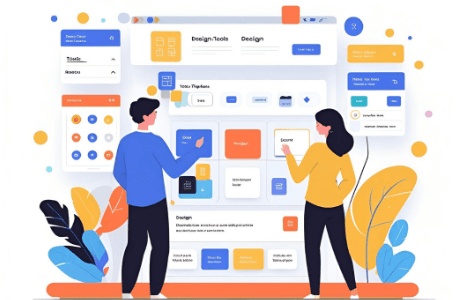
Join Canva Pro at a lower price legally with Join Bareng. Here’s the complete joiner guide!
Read More